

It is 11:15 PM on a Tuesday. A founder opens their ad dashboard, sees ₹3,50,000 spent over the past thirty days, and stares at the lead count: nine.
Frustrated, they pull out their phone, switch off office Wi-Fi, and tap their own Google ad on a regular cellular connection. The screen stays blank for three full seconds. When the headline finally appears, a cookie banner slides up, shifting the “Book a Demo” button right under their thumb—accidentally opening a privacy policy link instead. They hit the back button and click the competitor right below.
That single 6-second sequence explains why website is not converting for thousands of profitable businesses.
When sales slow down, marketing teams instinctively blame ad targeting, headline copy, or pricing. Almost nobody looks under the hood at the website’s code. Yet, if your site was built three or four years ago, it was engineered for a slower, desktop-first web. Heading into 2027, buyers expect instant app-like speed, and Google’s AI search engines reward clean technical architecture over keyword stuffing.
Before you pour another rupee into paid campaigns, run through a rigorous website performance audit checklist. Below are the seven invisible technical bottlenecks quietly draining your revenue—and how rebuilding around modern web design standards turns wasted clicks into closed deals.
The Silent Revenue Leak Nobody Mentions in Marketing Meetings
Do the math on a typical mid-sized campaign:
- 5,000 monthly ad clicks at ₹70 per click = ₹3,50,000 spent
- If a 3.5-second mobile load time causes 55% of visitors to bounce before your hero image even renders, ₹1,92,500 evaporates instantly—before your sales pitch gets a single second of attention.
Today’s buyer journey is messy. A prospect discovers your brand on LinkedIn, asks ChatGPT or Google Gemini to compare top vendors, taps a retargeting ad on their phone during lunch, and finally fills out a form on their laptop. Your website is the conversion hub connecting every touchpoint. When your foundation ignores modern web design standards, every marketing channel suffers.
1. The 3-Second “White Screen of Death” (Failing Core Web Vitals)
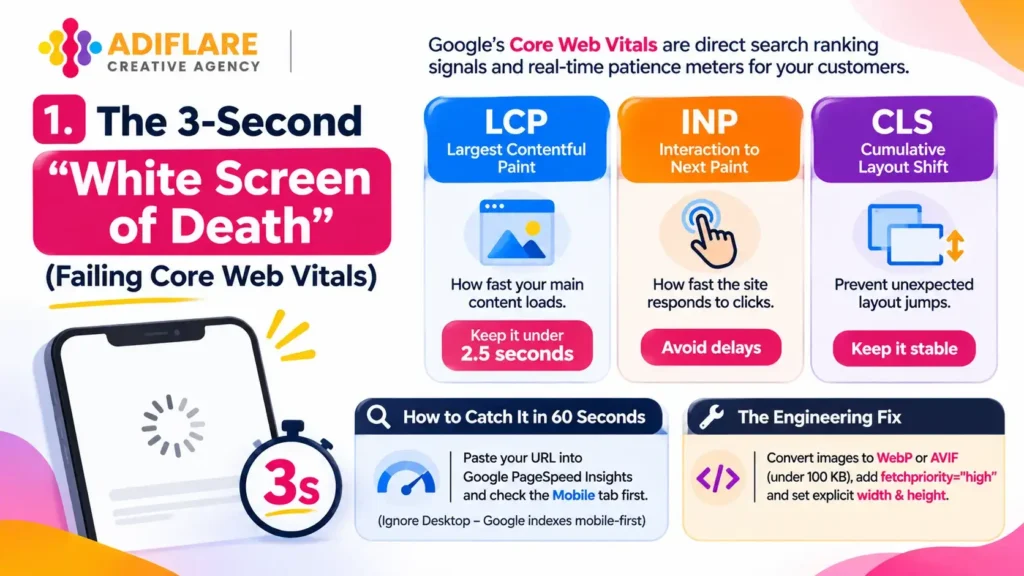
Google’s Core Web Vitals are not abstract developer vanity metrics—they are direct search ranking signals and real-time patience meters for your customers.
- Largest Contentful Paint (LCP): How fast your main hero section becomes visible. Anything over 2.5 seconds feels broken on mobile. Uncompressed PNG banners and render-blocking CSS stylesheets are the usual culprits.
- Interaction to Next Paint (INP): Replaces First Input Delay. When a visitor taps “Get Pricing” or opens a mobile menu, how fast does the screen visually respond? Bloated JavaScript freezes the browser’s main thread, leaving users tapping dead buttons.
- Cumulative Layout Shift (CLS): When late-loading fonts, sliders, or chat widgets push buttons downward mid-tap, visitors click the wrong link and leave angry.
Fixing Core Web Vitals sits at the very top of any serious website performance audit checklist because speed directly controls both organic rankings and checkout completion.
How to Catch It in 60 Seconds:
Paste your URL into Google PageSpeed Insights and check the Mobile tab first (ignore Desktop—Google indexes mobile-first).
The Engineering Fix:
Convert all hero images to next-gen WebP or AVIF under 100 KB, add fetchpriority=”high” to your primary banner image, and hardcode explicit width and height dimensions on every media container so layouts never jump.
2. Marketing Tag Hoarding (Third-Party Script Bloat)
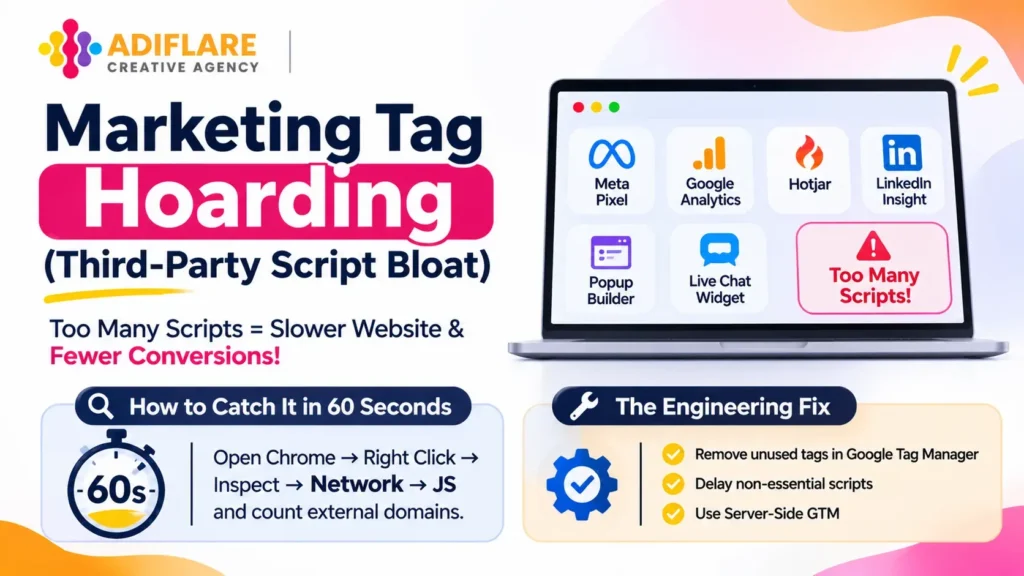
Every agency, freelancer, and SaaS tool you have worked with over the last three years left something behind in your site’s <head> tag: an old Meta Pixel, a forgotten Hotjar script, LinkedIn Insight tags, two analytics snippets, a pop-up builder, and a heavy live chat widget.
Each external script forces the visitor’s phone to open separate network connections and execute competing JavaScript files. This invisible traffic jam is a leading reason why website is not converting even when ad click-through rates look healthy.
How to Catch It in 60 Seconds:
Open your website in Chrome, right-click anywhere, hit Inspect → Network → JS, and reload the page. Count how many external domains load before your page finishes rendering.
The Engineering Fix:
Delete unused tags inside Google Tag Manager, delay non-essential scripts until the user scrolls or interacts, and move heavy tracking pixels to Server-Side GTM. If you want instant lead capture without tanking page speed, check our breakdown on AI chatbot for business website cost to see which lightweight conversational tools deliver high ROI without script bloat.
3. Desktop-First Ego vs. One-Handed Mobile Reality (Poor Thumb Zones)
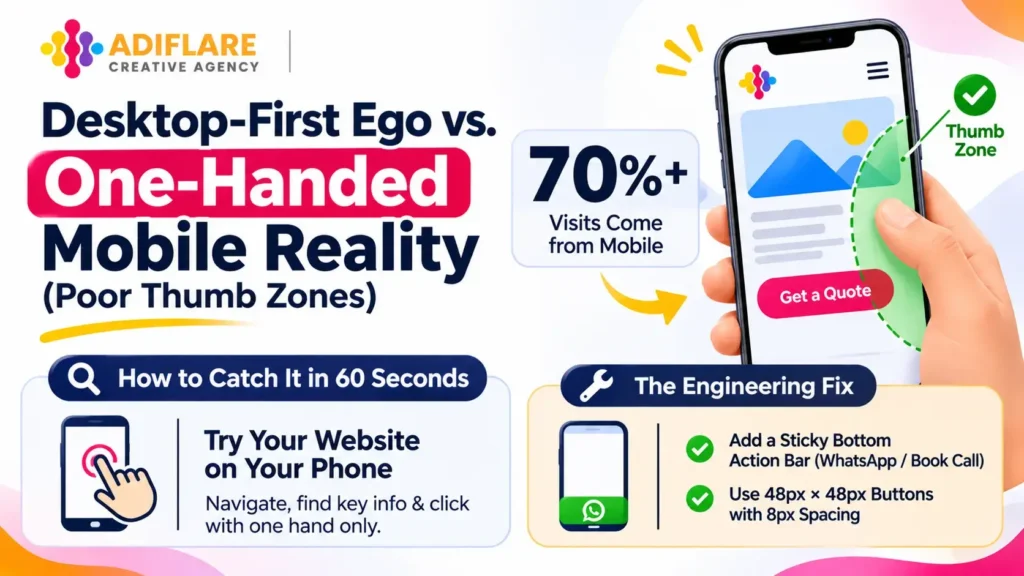
More than 70% of initial B2B and B2C visits happen on smartphones, yet most websites are still designed on 27-inch monitors and simply squished onto smaller screens. Embracing modern web design standards means designing for human anatomy—specifically how people hold a phone with one thumb.
Look at where your primary navigation menu, filters, and “Get a Quote” buttons sit on mobile. If they are pinned to the top-left corner, one-handed users have to awkwardly stretch or switch hands just to click. Add tiny links spaced 2 pixels apart, and mobile visitors give up.
How to Catch It in 60 Seconds:
Open your website on your own phone using one hand only. Try navigating to your service page, opening the pricing table, and submitting your contact form without using your second hand.
The Engineering Fix:
Add a sticky bottom action bar on mobile screens (position: fixed; bottom: 0;) with a one-tap WhatsApp or “Book Call” CTA, and enforce a minimum 48px × 48px tap target with at least 8px spacing around every clickable button.
4. The “Not Secure” Trust Killer (Missing HTTP Security Headers)

Buying a basic SSL certificate (HTTPS) is only step one. Modern browsers and corporate office firewalls actively block or flag websites missing server-level HTTP security headers.
When a B2B decision-maker clicks your link from an enterprise network and sees a security warning—or when forms fail to submit because cross-site protections are misconfigured—trust vanishes instantly.
- Strict-Transport-Security (HSTS): Forces encrypted connections and blocks downgrade attacks.
- Content-Security-Policy (CSP): Stops malicious script injections and cross-site scripting (XSS).
- X-Frame-Options & X-Content-Type-Options: Prevents clickjacking overlays and MIME-sniffing exploits.
How to Catch It in 60 Seconds:
Scan your domain on SecurityHeaders.com. Most small business websites score a D or F on their first test.
The Engineering Fix:
Configure HSTS, CSP, X-Frame-Options: DENY, and X-Content-Type-Options: nosniff directly inside your NGINX/Apache config or deploy them at the edge using Cloudflare Transform Rules in under 15 minutes.
5. Frankenstein Theme Syndrome (Rigid Templates & Plugin Debt)
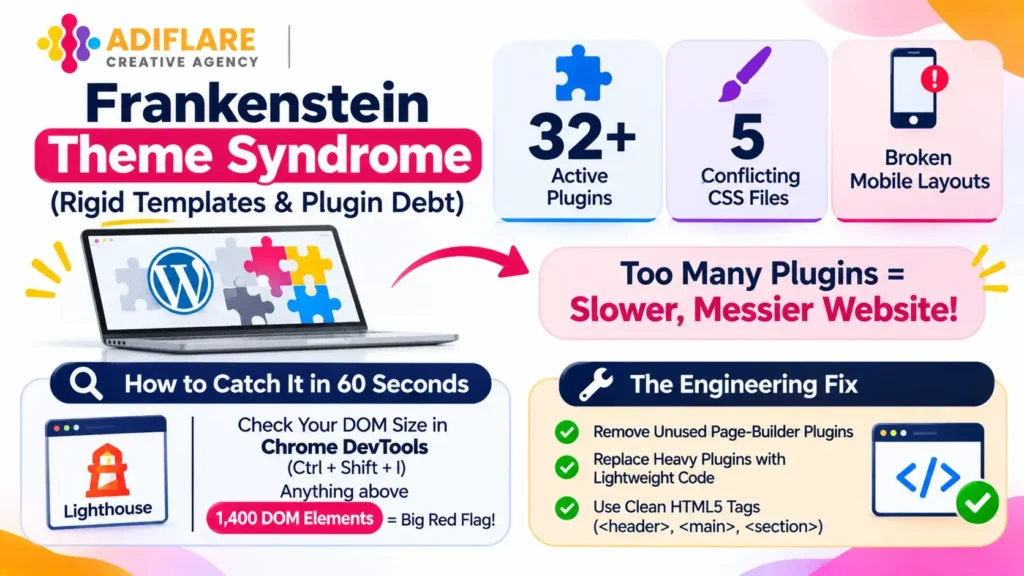
Launching on a ₹4,000 marketplace template makes sense on day one. Three years later, that same site has 32 active plugins, five conflicting CSS stylesheets, and broken mobile layouts every time WordPress or Shopify releases an update.
When your site runs on plugin patches, implementing modern web design standards becomes nearly impossible. Instead of clean semantic HTML that Google crawlers and AI search engines read effortlessly, bots choke on nested <div> soup and duplicate meta tags.
If you are debating whether to keep patching an aging template or invest in clean architecture, read our detailed comparison on custom vs template website to see which path protects your long-term ROI.
How to Catch It in 60 Seconds:
Inspect your page in Chrome DevTools (Ctrl + Shift + I) and check your DOM node count in Lighthouse. Anything above 1,400 DOM elements signals severe template bloat.
The Engineering Fix:
Strip out multi-purpose page-builder plugins that load unused CSS globally, replace heavy plugins with lightweight custom code snippets, and refactor layouts into clean semantic HTML5 tags (<header>, <main>, <section>, <article>).
6. The “Black Hole” Lead Form (Broken Webhooks & Interrogation Forms)
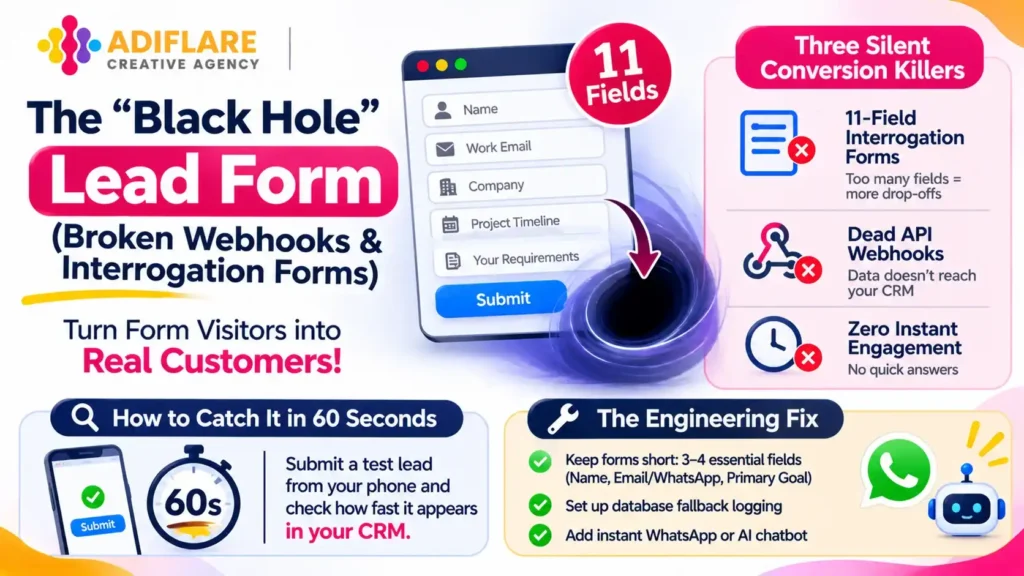
Sometimes the bottleneck is not your server—it is your lead-capture flow. Ask yourself honestly: when did someone on your team last submit a test inquiry through your own website on an iPhone and an Android device?
Three silent conversion killers hide inside forms every day:
- 11-Field Interrogation Forms: Asking for company revenue, full address, project timeline, and a 500-word brief before offering a 15-minute discovery call.
- Dead API Webhooks: Forms that show a green “Thank You!” message to the visitor while silently failing to sync into HubSpot, Zoho, or your sales team’s email inbox.
- Zero Instant Engagement: High-intent visitors want quick answers now, not an automated email promising a reply in 24–48 hours. Fixing this friction directly solves why website is not converting warm prospects ready to buy today.
How to Catch It in 60 Seconds:
Submit a test lead from your phone right now and time how many seconds it takes to appear inside your CRM and trigger a sales notification.
The Engineering Fix:
Cut lead forms down to 3–4 essential fields (Name, Work Email/WhatsApp, Primary Goal), set up database fallback logging so zero submissions ever vanish if a CRM API hiccups, and offer an instant WhatsApp or AI qualification option alongside your form.
7. Speaking Human While Failing Machine (Missing Schema & AI Readability)
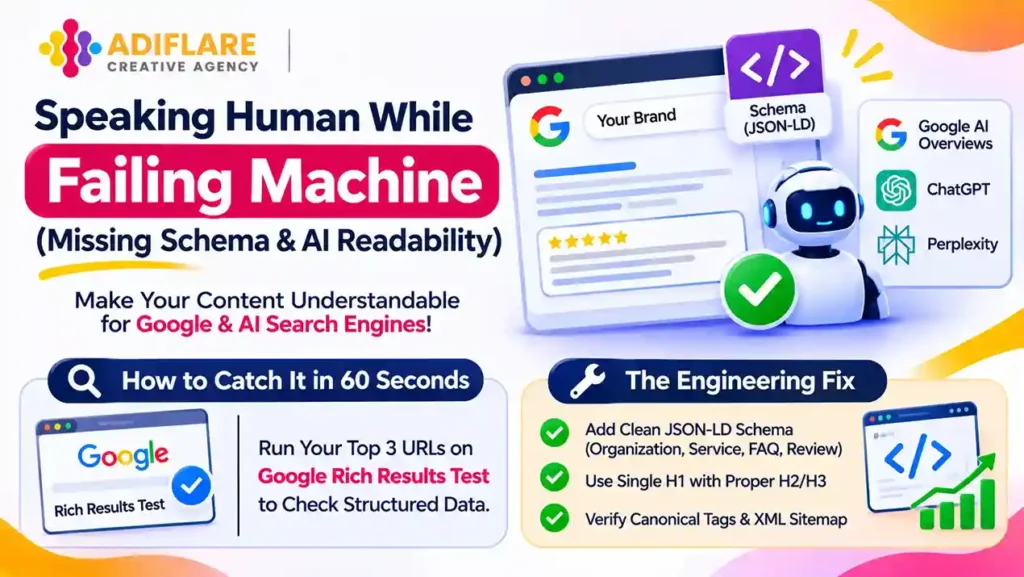
In 2027, humans are no longer the only audience evaluating your website. Google AI Overviews, ChatGPT Search, Perplexity, and search crawlers rely on structured data (JSON-LD schema markup), clean heading hierarchies (H1 → H2 → H3), and unambiguous entity signals to verify who you are and what you sell.
If your service pages lack Organization, Service, FAQPage, or Review schema—or if your site suffers from multiple H1 tags, orphan pages, and accidental noindex tags—AI search engines will skip your brand and recommend competitors with cleaner technical data. Including schema validation in your website performance audit checklist keeps your brand visible across both traditional search rankings and AI answer engines.
How to Catch It in 60 Seconds:
Run your top three revenue-generating URLs through the Google Rich Results Test to see what structured entities Google can actually read.
The Engineering Fix:
Deploy clean JSON-LD schema blocks on every core service and blog page, enforce a single H1 per page with logical H2/H3 subheadings, and verify self-referencing canonical tags across your XML sitemap.
The 2027 Website Performance Audit Checklist
Share this benchmark table with your developer or agency before approving your next marketing budget:
| Audit Area | 2027 Target Benchmark | Direct Revenue Impact |
| Core Web Vitals | LCP < 2.5s, INP < 200ms, CLS < 0.1 | Lower bounce rates & higher Google rankings |
| Third-Party Scripts | Zero unused tags; async/deferred loading | Faster mobile rendering & smoother scrolling |
| Mobile Ergonomics | Sticky thumb-zone CTAs & ≥ 48px tap targets | Immediate lift in mobile lead form completions |
| Security Headers | HSTS, CSP, X-Frame-Options, nosniff active | Stronger browser trust & enterprise compliance |
| Media & Assets | WebP/AVIF images compressed under 100 KB | Instant visual load on 4G/5G cellular networks |
| Schema & SEO Hygiene | Valid JSON-LD schema & single H1 hierarchy | Citation visibility in Google AI Overviews |
| CRM & Form Sync | Weekly end-to-end webhook & alert testing | Zero lost leads from broken form integrations |
How to Fix This Without Rebuilding Everything Overnight
You do not need to shut down your website for three months to fix these bottlenecks. Run a focused 4-week sprint:
- Week 1 — Speed & Trust: Compress hero assets to WebP/AVIF, fix CLS layout shifts, and activate missing HTTP security headers.
- Week 2 — Script & Mobile Cleanup: Purge dead Google Tag Manager scripts, defer third-party widgets, and upgrade mobile tap targets to meet modern web design standards.
- Week 3 — Funnel & Form Repair: Trim contact forms to 4 fields, verify CRM webhooks, and add instant WhatsApp/chat routing.
- Week 4 — AI & Schema Readiness: Deploy JSON-LD schema markup, fix heading hierarchies, and validate every core page via your website performance audit checklist.
Frequently Asked Questions
Why is my website getting steady traffic but zero sales inquiries?
When traffic is healthy but leads stay flat, technical friction is usually to blame. Slow mobile rendering (high LCP/INP), aggressive pop-ups, awkward mobile button placement, overly long forms, and broken CRM webhooks silently block ready-to-buy visitors before they convert.
What should be included in a website performance audit checklist?
A thorough website performance audit checklist covers Core Web Vitals speed metrics, third-party script bloat, mobile thumb-zone usability, server HTTP security headers (HSTS/CSP), semantic HTML structure, end-to-end CRM form testing, and JSON-LD structured data for AI search engines.
How do modern web design standards impact Google rankings in 2027?
Modern web design standards prioritize mobile-first ergonomics, clean semantic code, sub-2.5-second load speeds, and structured schema markup. Both Google’s core ranking algorithm and AI answer engines rely on these signals to verify site quality and recommend trusted brands.
How often should a company audit its website performance?
Run a quick check on form submissions, speed scores, and security headers once a month, and conduct a deep technical website performance audit checklist every quarter—especially before scaling paid ad budgets.
Stop Paying for Traffic Your Website Cannot Hold
Figuring out why website is not converting does not require guesswork—it requires looking honestly at the technical friction standing between your visitor and your “Submit” button. Patching an aging site with more plugins only delays the inevitable.
By aligning your platform with modern web design standards and executing a disciplined website performance audit checklist, every rupee you spend on SEO and paid ads works harder, converts faster, and compounds over time.
At AdiFlare, we help growth-focused founders audit, re-engineer, and scale fast, conversion-obsessed websites built for 2027 search and buyer behavior. Want to see exactly where your current site is leaking leads? Reach out to our technical team for a complete performance teardown.